One hub per client campaign. Clean separation, clean reporting
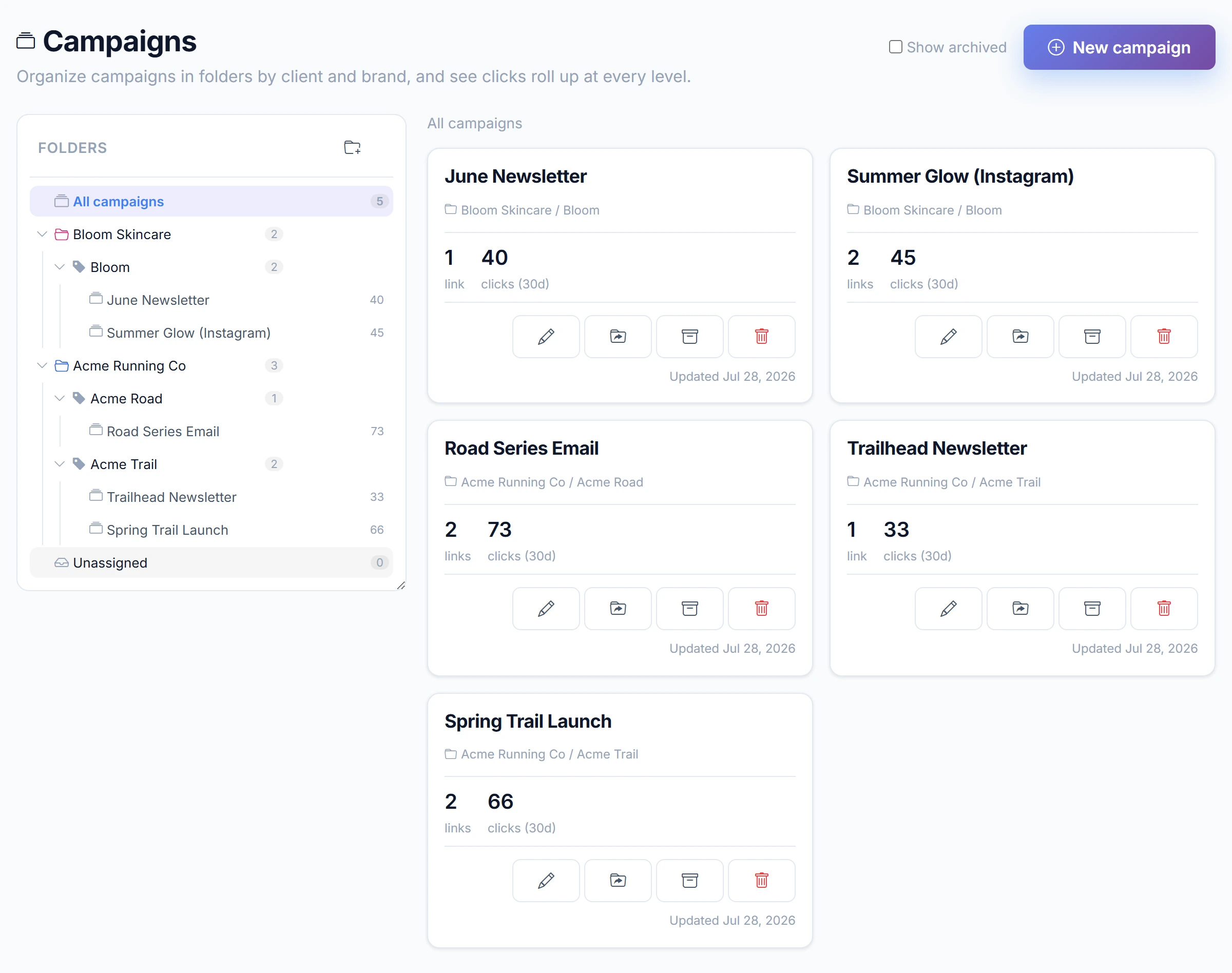
For small agencies running campaigns across several clients at once. Keep each client campaign in its own hub, group a link per channel, and read which channel and CTA earned the clicks. Less hunting through a flat list of links, more clarity per campaign.
A flat list of links, fine for one-off links, hard to read once several clients run at once
A campaign hub, every link for a client campaign grouped in one place, with channel-by-channel reporting
How campaign hubs work
From a flat list of links to organized, readable campaigns
1. Create one campaign hub
Make a hub for each client campaign, for example a product launch or a seasonal drop. Everything for that campaign lives together instead of scattered across a shared link list.
2. Add a link per channel
Inside the hub, add one link for each channel you are running: a QR on print, an email blast, and an Instagram post. Each channel gets its own trackable link, all grouped under the same campaign.
3. Use campaign-flavored slugs
Name links so the channel reads at a glance, like client-launch-qr or client-launch-email. When you scan the hub later, you know exactly which link belongs to which channel.
4. Compare which channel won
See clicks per link side by side inside the hub. Read which channel and which CTA pulled the campaign, then tell the client a clear story instead of a pile of raw numbers.
A campaign hub, worked through
One client launch, three channels, one at-a-glance read
Campaign hub: Client Launch
Three channel links, grouped together, each named so you know what it is.
QR on print
urlcut.ai/client-launch-qr
1,240 clicks
Email blast
urlcut.ai/client-launch-email
860 clicks
Instagram post
urlcut.ai/client-launch-instagram
210 clicks
At a glance: QR on print led the campaign, email held steady, the Instagram post underperformed. That is the read you hand the client, grouped under one campaign rather than dug out of a flat link list.
Pricing for campaign work
Start free with one hub, move to Pro when more campaigns run at once
Free
Free forever, no credit card
- 2 campaign hubs
- Up to 3 campaign links
- Group links by channel
- Readable campaign slugs
- Clicks per link
- Permanent links (never expire)
Pro
For more serious, multi-campaign work
- Unlimited campaign hubs
- Unlimited campaign links per hub
- Group links by channel
- Readable campaign slugs
- Clicks per link
- Permanent links (never expire)
- Advanced per-campaign analytics
- Channel and CTA comparison
- AI campaign insights
- Export analytics to CSV
- Unlimited data retention
See the pricing page for full plan limits.
View full pricing detailsCampaign management FAQ
Questions from agencies running several client campaigns
How is a campaign hub different from a flat list of short links?
A hub groups every link for one client campaign in one place. Instead of scrolling a shared list and guessing which link belongs where, you open the campaign and see its channel links and their clicks together. It is about organization and reporting per campaign, not just creating a link.
Can I keep different clients separate?
Yes. Give each client campaign its own hub. Clean separation means one client's launch links never mix with another's, so reporting stays clear when several campaigns run at the same time.
How do I track which channel performed best?
Add one link per channel inside the hub, for example a QR link, an email link, and an Instagram link. The hub shows clicks per link side by side, so you can read which channel and CTA pulled the campaign at a glance.
What should I name the links in a hub?
Use campaign-flavored slugs that name the channel, like client-launch-qr, client-launch-email, or summer-drop-youtube. Readable names mean the hub stays scannable and the client report reads cleanly.
Is Campaigns a finished feature?
Yes, campaign management is available today. The core idea, one hub per campaign with links grouped by channel and reporting, is in place, and we keep refining it. Check the pricing page for current plan limits.
Should I use this or the agencies page to get started?
If you are new, start with the URL Shortener for Agencies page for link creation basics. Come here when you are running several client campaigns at once and want to organize, group, and report on them per campaign.
Related resources
More on campaigns, pricing, and your audience
Campaigns
How campaign hubs group links and report by channel across a campaign.
Branded Links for Agencies
Give each client their own custom domain or branded subdomain, with per-brand reporting.
URL Shortener for Agencies
New here? Start with link creation for agencies, then move to campaign hubs.
Lightweight alternative to Bitly Campaigns
How lightweight campaign hubs compare with the Bitly Campaigns workflow.
Client Campaign Reporting
Read which channel and CTA earned the clicks across each client campaign's links.
Pricing
Free tier with one hub, Pro for running more campaigns at once.
Give each client campaign its own hub
Group your links by channel, read which channel and CTA won, and hand the client a clear story.
Start free with two campaign hubs, no credit card required.